How To Log into Your IrokoTV Account on Your Phone
IrokoTV is the app that allows you to download and watch as many Nigerian movies as you want on your mobile phone, provided you are willing to pay a token fee for each download.
IrokoTV is the world’s largest legal distributor of African movies.
The IrokoTV app works on a film-on-demand model.
The IrokoTV app for mobile phones can be found in both Apples APP and Google’s PlayStore.
In this article, we will take you through the steps you need to take to log into your IrokoTV account on your phone. We are using an android phone to illustrate the steps in this article, but the process is similar for an iPhone.
Here it goes:
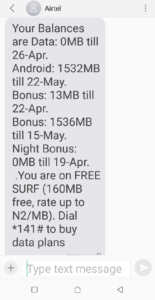
- Ensure that you have enough data on your phone.
- Ensure that you have at least 20MB of memory space on your phone.
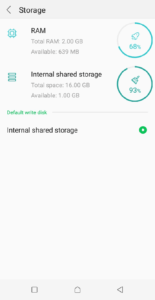
Space storage verification on your phone; the phone used here is an Android phone - Open your device’s app page. In the search bar, type in Play Store. Once you see the Google Play Store icon, click to it. The phone will take you to the Play Store home page.
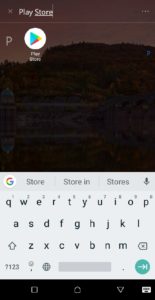
- On the Play Store’s home page, type in “IrokoTV” in the search box.
- Click on the “Search” button.
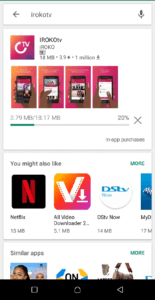
- On the Store’s search results page, you will see the IrokoTV app featured prominently in the top section
.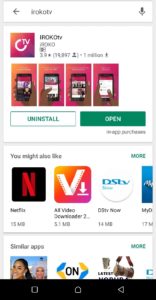
- Look out for a green button with “INSTALL” inscribed on it and click.
- You will see the app downloading with a status bar showing the percentage of the app that has been downloaded.
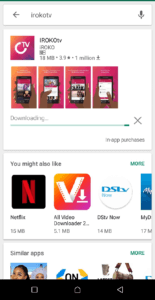
- Immediately the app downloads, it will also install automatically on your phone. After installation, you will see a green button with “OPEN” inscribed on it. Click on it to open the app on your phone.
- The IrokoTV app will open on your phone. On the very first page the app opens to, you will see two options: “I’M A NEW MEMBER” and “I’M AN EXISTING MEMBER”. If you don’t have an account already, click on the “I’M A NEW MEMBER” button, highlighted with a red background.

Iroko TV Homepage screen when the app is opened - A page loads where you will be prompted to choose the country you are presently in and just below that, a space to put in your phone e number. Do both and then click on the red “CONTINUE” button.
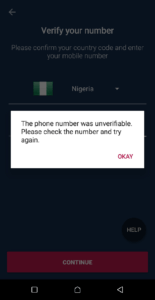
(Note the black “HELP” button just on the top-right corner of the red “CONTINUE” button).
12. If you’ve inputted a wrongly-formatted phone number, you get an error message.
13. If the app is able to verify the phone number you inputted, it will send a PIN (verification code) to the number.
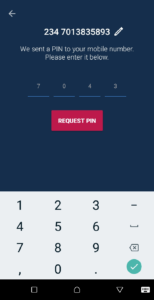
14. Input this PIN into the spaces provided and click the red “CONFIRM” button.
15. The app will verify the PIN you’ve inputted. If it’s correct, you will be prompted to create a four-digit PIN you will use subsequently use to log into the app. Click the red “CONTINUE” button.
16. You will be prompted to re-enter your new PIN. Do this and click on the red “CONFIRM” button.
17. The app will verify your PIN and you will be in on the apps home page.
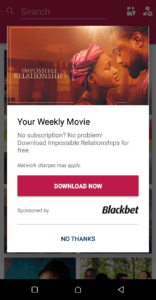
There you are, you are in!
As you can see from the last screenshot, IrokoTV offers you one free-to-download movie every week and network data charges apply.


Join the conversation